

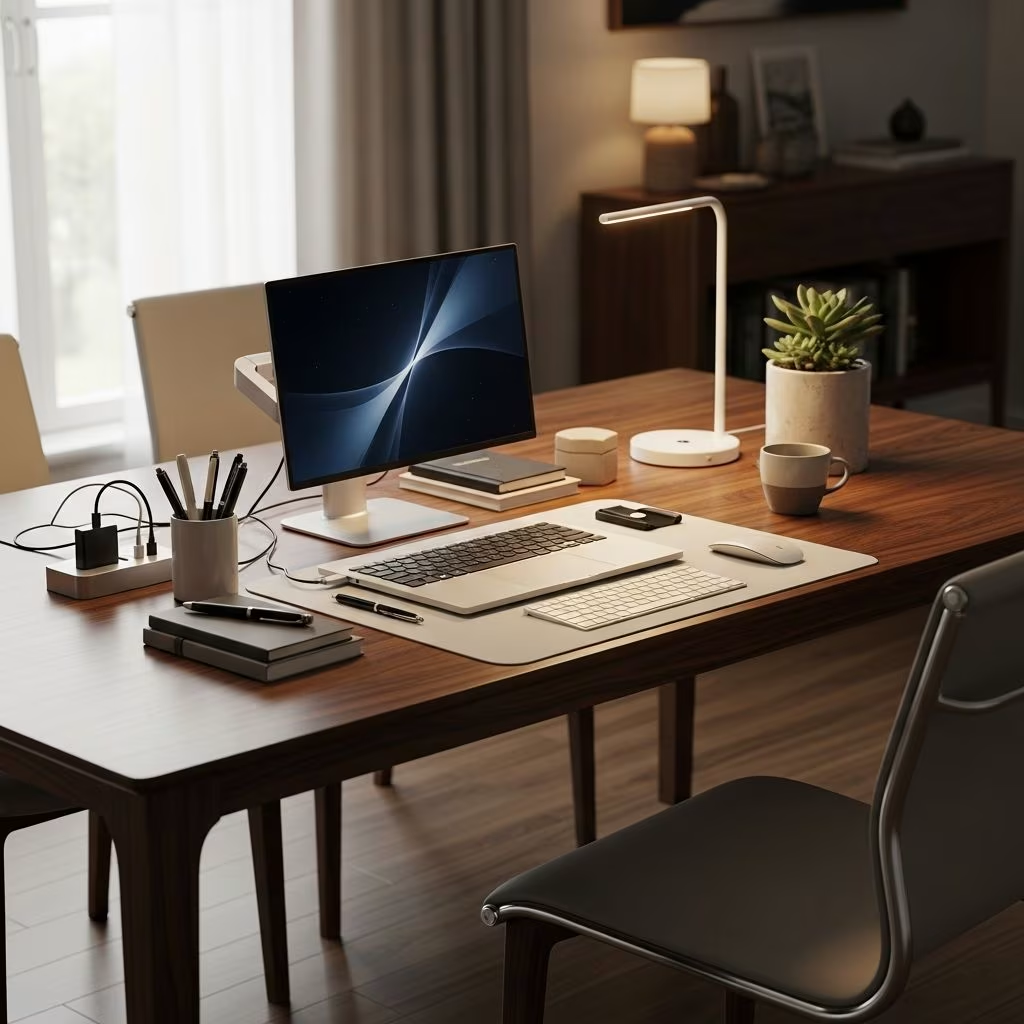
The rise of remote work has challenged many professionals to find creative solutions for establishing dedicated workspaces within their homes. For those living in apartments, small houses, or multi-functional spaces, the dining table represents an ideal candidate for dual-purpose functionality. Unlike traditional desks that consume valuable real estate and serve a single purpose, a dining table can seamlessly transition between family meals, entertaining guests, and providing a professional workspace for work-from-home professionals.
This comprehensive guide explores the strategic approaches, organizational techniques, and design principles necessary to transform your dining table into an effective home office while preserving its role as a gathering place for your household.
Understanding the Advantages of Using Dining Tables as Workspaces
Dining tables offer several practical advantages over traditional desks for home office setups. The expansive surface area accommodates multiple projects simultaneously, allowing professionals to spread out documents, reference materials, and equipment without feeling cramped or confined. This spaciousness proves particularly valuable for creative professionals, designers, and researchers who benefit from maintaining visual access to various resources during their workday.
The accessibility of dining tables from multiple sides eliminates the directional constraints typical of desk-oriented layouts. Workers can position themselves comfortably at any point around the table surface, adjusting their posture and viewing angles throughout the day. This flexibility reduces physical strain and accommodates different working preferences without requiring furniture repositioning.
From a financial perspective, dining tables present a cost-effective alternative to purchasing separate office furniture. If you already own a dining table, no additional investment is required beyond organizational accessories. Even if renovation or replacement is necessary, quality dining tables typically cost significantly less than comparable desk setups while offering superior functionality.
Managing Technology and Cable Organization
One of the primary concerns when converting a dining table into a workspace involves managing the technological infrastructure required for remote work. Modern laptop-based work environments require power sources, internet connectivity, and potentially peripheral devices such as monitors, keyboards, and external hard drives.
Begin by identifying optimal cable routing strategies that keep wires organized and visually unobtrusive. Cable management clips and adhesive hooks designed for furniture attachment can secure cords along table legs and underneath surfaces, keeping them out of sight and preventing accidental disconnection during table transitions. These simple devices transform what could be a tangled mess into an organized system.
Position power strips and charging stations strategically around your table perimeter, ensuring they remain accessible without creating tripping hazards or visual clutter. Wireless peripherals reduce the total cable requirement, though they introduce battery management considerations. Establishing a charging routine for wireless devices prevents connectivity interruptions during critical work periods.
Internet connectivity deserves particular attention. If your dining table sits distant from your primary router, consider investing in mesh networking systems or WiFi extenders to ensure strong signal strength throughout your workspace. Stable connectivity directly impacts productivity and professional credibility during video conferences.
Creating Organizational Systems and Storage Solutions
Traditional desks incorporate drawers and shelving units that provide integrated storage for supplies, documents, and personal items. Dining tables lack this built-in storage, necessitating creative organizational solutions that accommodate work materials while maintaining the table’s aesthetic appeal.
Decorative trays and containers serve as fundamental organizational tools for dining table workspaces. These vessels group related items—pens, notepads, business cards, headphones—into cohesive categories that appear intentionally arranged rather than cluttered. Rectangular trays provide particularly effective organization, as their defined boundaries create visual structure and purpose. The principle of containment transforms scattered items into organized displays that enhance rather than diminish workspace aesthetics.
Vertical storage maximizes space utilization without consuming valuable table surface area. Wall-mounted shelving, pegboards, and bulletin boards positioned above or alongside your dining table provide accessible storage for frequently referenced materials. Cork boards and magnetic surfaces accommodate project notes, inspirational materials, and daily reminders while maintaining your work-from-home aesthetic.
Shelving units and storage carts positioned near your dining table offer flexible organization options that can be easily relocated when table conversion becomes necessary. Mobile storage solutions prove particularly valuable in multifunctional spaces where furniture rearrangement occurs regularly.
Establishing Clear Visual Boundaries and Workspace Definition
Psychological separation between work and personal spaces contributes significantly to productivity and work-life balance. Even when your dining table serves dual purposes, establishing clear visual boundaries helps your brain transition between professional and personal modes.
Designate specific zones within your table area for work-related materials and separate them from personal or dining-related items. A dedicated workspace section, even on a shared table surface, creates psychological ownership and focus. This demarcation prevents work materials from migrating into dining spaces and vice versa.
Lighting plays a crucial role in workspace definition. Positioning a task lamp specifically over your work area creates an enclosed circle of illumination that psychologically delineates your professional space. This targeted lighting improves focus and reduces eye strain compared to ambient room lighting alone.
Rugs positioned under your dining table workspace subtly define the area and create visual separation without permanent modifications. Area rugs also dampen sound and reduce echoes, potentially improving audio quality during video conferences.
Selecting Appropriate Seating and Ergonomic Considerations
Seating comfort directly impacts both productivity and physical health during extended work sessions. Dining chairs rarely meet ergonomic standards established for office furniture, requiring careful selection to minimize health complications.
Consider chairs featuring adjustable heights, proper lumbar support, and appropriate seat depth to accommodate eight-hour workdays. Office chairs with wheels provide mobility around larger table surfaces, though they may damage hardwood floors. Protective floor mats prevent aesthetic damage while enabling chair movement.
If formal dining furniture remains permanent, supplement dining chairs with task-specific seating during work hours. Ergonomic office chairs positioned at your workspace during professional activities can be relocated to bedrooms or storage areas during dining occasions. This flexibility allows optimization for both functions without compromising either purpose.
Table height compatibility deserves attention. Standard dining table heights (approximately 30 inches) typically accommodate proper ergonomic positioning when combined with appropriate chairs. If your table sits outside standard dimensions, risers, shims, or chair adjustments may be necessary to achieve proper desk ergonomics.
Transitioning Your Space: Practical Strategies
The essential advantage of a dining table workspace lies in its ability to rapidly transition between professional and personal modes. Developing efficient transition protocols minimizes time investment while ensuring thorough separation between functions.
Implement a closing ritual that consolidates work materials into designated containers and removes them from the dining surface. This daily practice requires only five to ten minutes but provides psychological closure and maintains table accessibility for family meals. Establishing consistency in these routines reinforces the behavioral transition.
Utilize rolling carts or storage containers that can be completely removed from your dining area when not in use. This complete removal strategy proves more effective than partial reorganization, as it thoroughly eliminates visual work reminders from your personal space.
Establish communication expectations with household members regarding workspace availability. Clear boundaries about when the table remains available for dining versus dedicated to work prevent conflicts and maintain table accessibility for family activities.
Design Principles for Aesthetic Harmony
Maintaining visual harmony between your workspace and dining environment prevents your home office from feeling like an intrusion into your personal space. Thoughtful design choices integrate work materials into your existing décor rather than creating jarring contrasts.
Select organizational containers and accessories that complement your existing interior design aesthetic. Neutral colors, natural materials, and refined finishes ensure work-related items enhance rather than compete with your dining environment. Decorative elements like plants, artwork, and sculptural objects can transition from purely personal to functionally organizational, serving both purposes simultaneously.
Establish consistency in material selections and color palettes across your organizational systems. Mixing various container styles, colors, and materials creates visual confusion and appears haphazard. Cohesive design choices convey intentionality and professional polish even within a multifunctional space.
Technology Setup and Video Conference Considerations
Remote workers frequently conduct video conferences from their dining table workspace, making background aesthetics and technical setup particularly important. Position your dining table location to feature an attractive, uncluttered background during video calls. Neutral walls, artwork, or bookshelves provide professional backdrops that enhance your credibility and appearance.
Ensure your camera angle provides flattering positioning without exposing excessive table surface or surrounding clutter. Laptop positioning at eye level promotes proper posture and creates more professional on-camera appearance than looking downward at screen-level cameras.
Manage ambient noise through strategic placement of soft furnishings and sound-dampening materials. Rugs, curtains, and upholstered furniture reduce echo and minimize background noise transmission during video conferences, improving audio quality and professional presentation.
Frequently Asked Questions
Can a standard dining table comfortably accommodate an eight-hour workday?
Yes, provided you implement proper ergonomic seating and maintain appropriate table height. Take regular breaks to stand, stretch, and relieve sustained pressure on your back and shoulders. Alternate your position around the table to vary your physical engagement throughout the day.
What storage solutions work best for minimal-space apartments?
Vertical storage solutions such as wall-mounted shelving, pegboards, and magnetic strips maximize storage without consuming valuable floor space. Rolling storage carts and under-table storage bins utilize existing architectural features effectively.
How do I prevent work materials from permanently migrating into my dining space?
Establish consistent closing rituals that consolidate work materials into removable containers. Create designated storage areas completely separate from your dining environment. Set clear boundaries with household members about workspace availability.
What lighting solutions work best for dining table workspaces?
Task lamps positioned directly over your work area provide targeted illumination for detailed work and reduce eye strain. Ensure adequate ambient room lighting to prevent contrast-related fatigue. Position lights to minimize glare on computer screens.
Are dining tables suitable for clients or colleagues to visit during work?
Yes, with preparation. Ensure your work area remains organized and uncluttered before client visits. Dining tables can accommodate in-person meetings more comfortably than traditional desks, as their larger surface area accommodates multiple people and materials easily.
Conclusion: Maximizing Multifunctional Spaces
Successfully converting your dining table into a home office workspace requires thoughtful planning, strategic organization, and consistent maintenance of boundaries between work and personal functions. By implementing the principles and strategies outlined in this guide, you can create a productive, professional workspace that seamlessly transitions to accommodate family gatherings, entertainment, and personal activities.
The key to success lies not in permanently transforming your dining table into a desk, but rather in developing systems and practices that enable rapid, efficient transitions between modes. With proper organization, ergonomic consideration, and aesthetic integration, your dining table can serve as an effective foundation for remote work without sacrificing its traditional role as the center of family life and entertaining.
References
- How to Convert the Dining Table Into a Desk Workspace — Apartment Therapy. Retrieved from https://www.apartmenttherapy.com/how-to-setup-the-dining-table-131383
- Working from Home Tips: How I Turned My Kitchen Table into My Office — Stylist UK. Retrieved from https://www.stylist.co.uk/life/working-from-home-tips-hacks-decor-kitchen-table/377602
- How to Turn a Dining Table Into an Office with Brian Patrick Flynn — Good Morning America. Retrieved from https://www.youtube.com/watch?v=pWvyfPj1RNY
- Occupational Safety and Health Standards for Home Office Ergonomics — U.S. Occupational Safety and Health Administration (OSHA). Retrieved from https://www.osha.gov/ergonomics
- Remote Work Productivity and Home Office Design — International Facility Management Association. 2024. Retrieved from https://www.ifma.org/